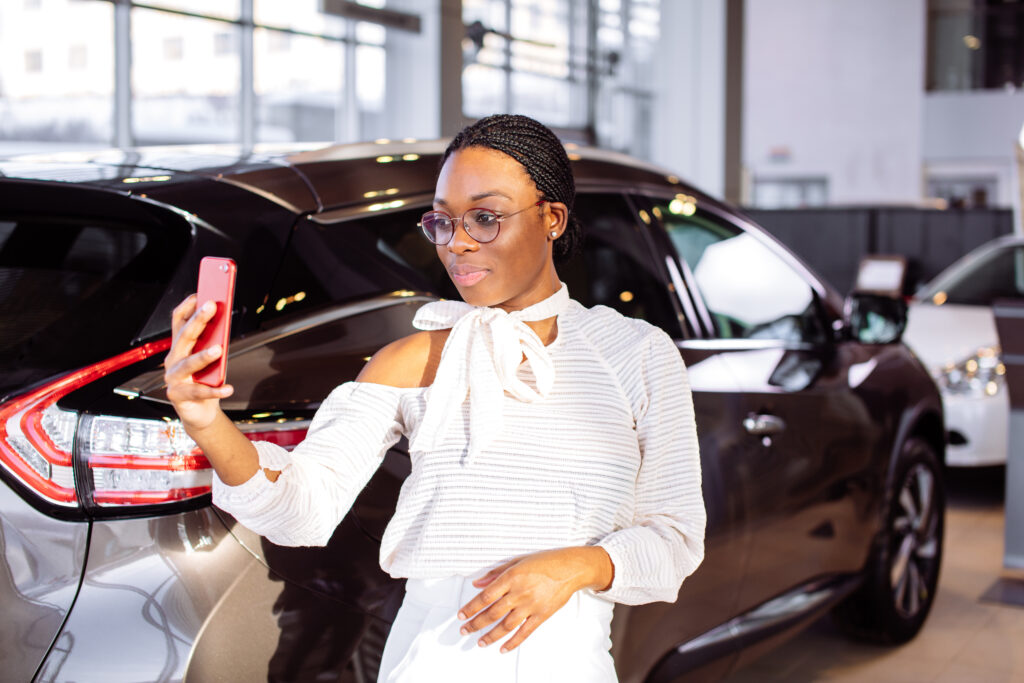
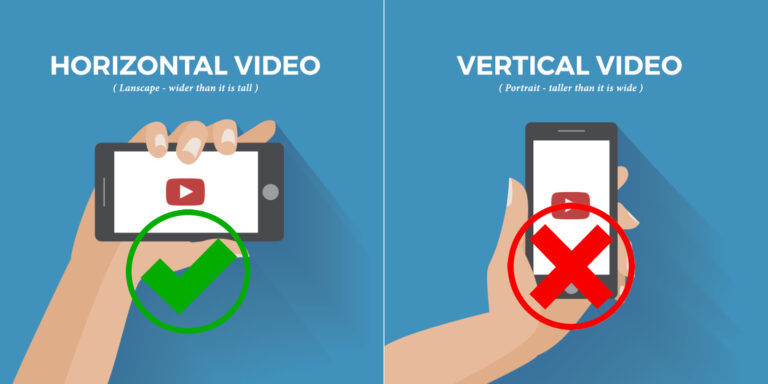
Put your camera/mobile phone on the level with your eyes and look into the camera/mobile phone.
Put the camera/mobile phone on a stable surface or use a tripod to keep the video still.
Use natural daylight or powerful lamp lighting from the FRONT.
Use quiet surroundings and speak in a clear voice.
Use a clean office or go into your showroom or even out on the lot. Stand so the vehicles are behind you.
Do not
Shoot a vertical or square video.
Put the camera/mobile phone below your face and talk down to it.
Hold the camera/mobile phone with your hands or allow the camera/mobile phone to shake.
Record at night with poor lighting.
Record with strong lights or lamps behind you.
Place microphone very close to the mouth. (too loud).
Place microphone too far away from mouth (too quiet).
Allow wind or any other distracting background noise.
What should I say?
Who are you Introduce yourself. What is your name, and what dealership do you work for? Work experience, or other interesting backgrounds.
How has Dealer Training Source helped you? Many people tell us how Larry’s training has benefited them. Now it’s your turn!
Show your personality
Smile
Be yourself
Be natural – Do not read directly from a script! Look into the camera, make it as though you are speaking directly to Larry to let him know your thoughts about his trainings.
Dress appropriately – It is ideal that you wear your dealership’s work uniform and name tag.
By uploading your video you agree to the terms of the Dealer Training Source talent release agreement.
You can also email your video testimonial to info@dealertrainingsource.com